
Inside Aestrox POS
Familiar work. One workspace.
A closer look at the tools your team uses throughout the day, from the first order to the close of business.
Ordering
Build an order at the pace of service.
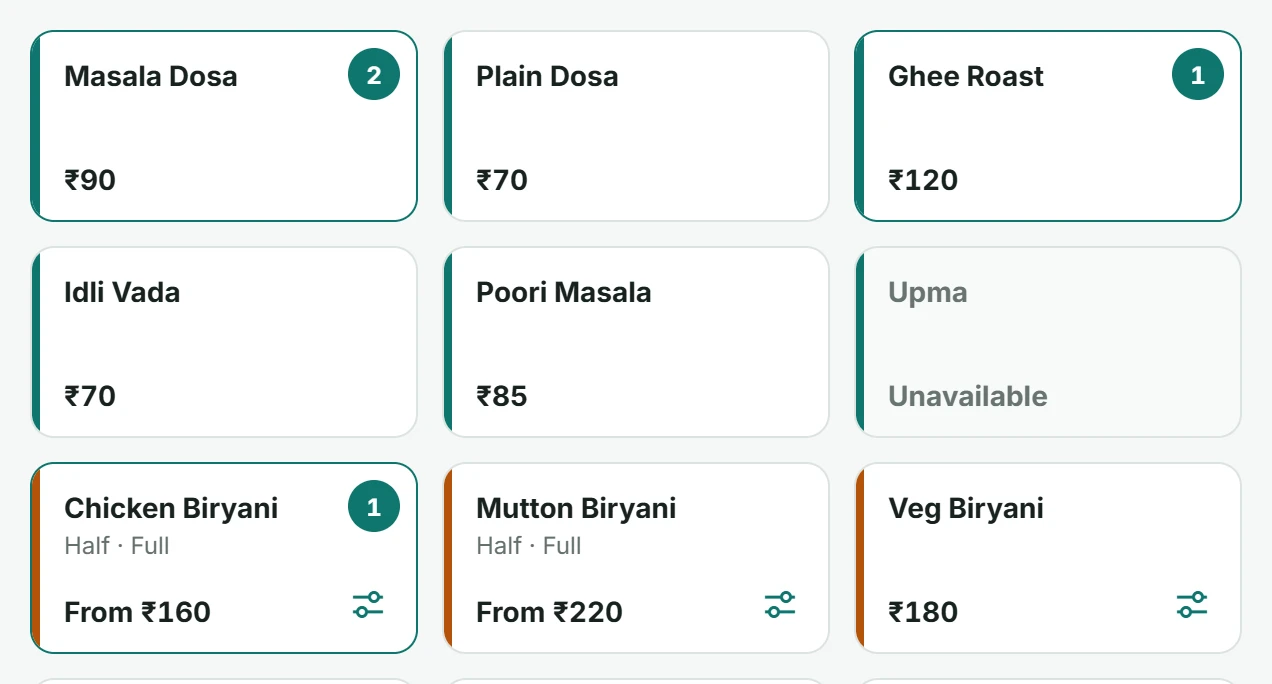
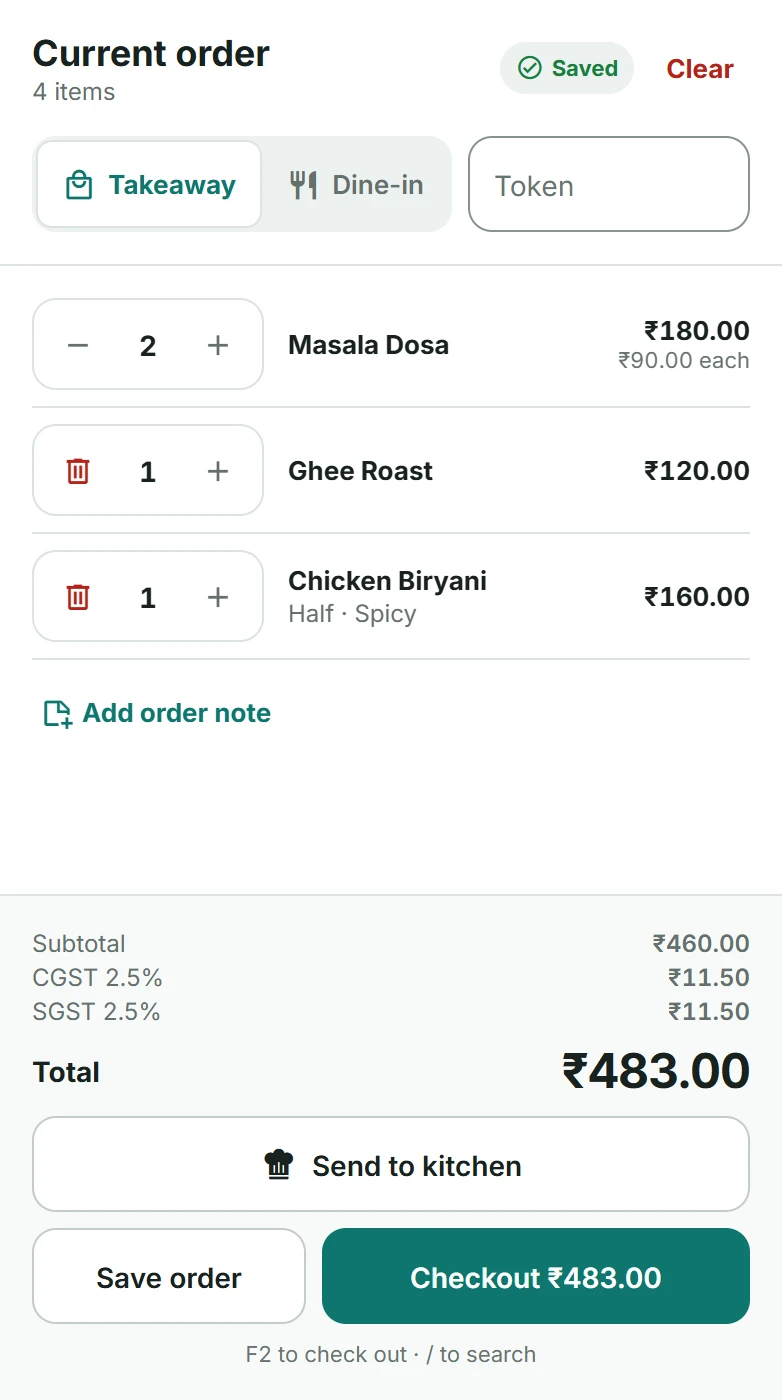
Tap items to add them, change quantities and keep the bill moving. Save an order to finish later or go straight to checkout.
- Takeaway, dine-in and table orders
- Token or guest name on each order
- Search by name or initials
- Keyboard shortcuts at the counter
Sizes & add-ons
Make every order theirs.
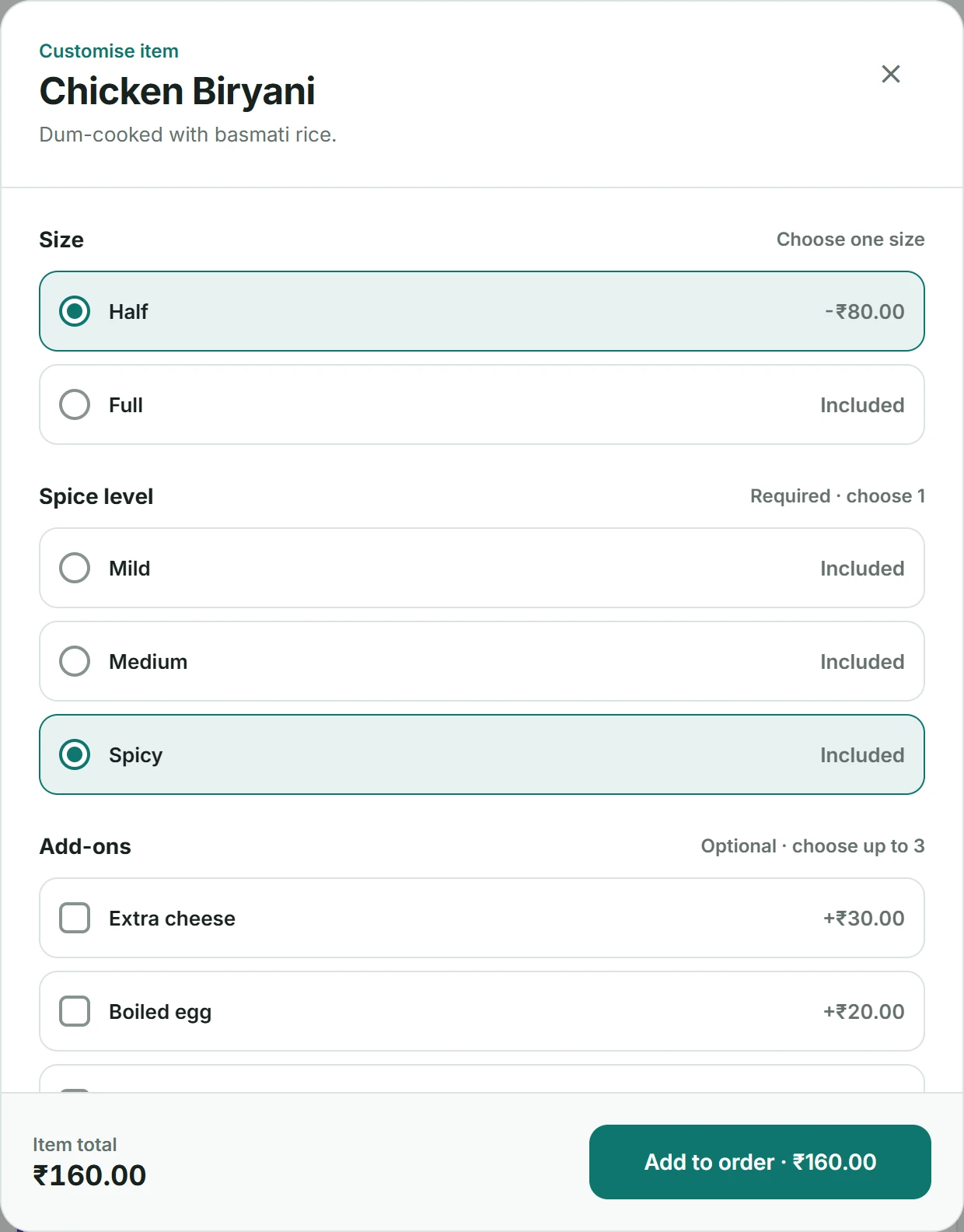
Sizes, spice levels and extras are one tap each, with prices and tax worked out for you.
- Sizes with their own prices
- Required and optional choices
- Add-ons and kitchen notes
Kitchen
Orders reach the kitchen as tickets.
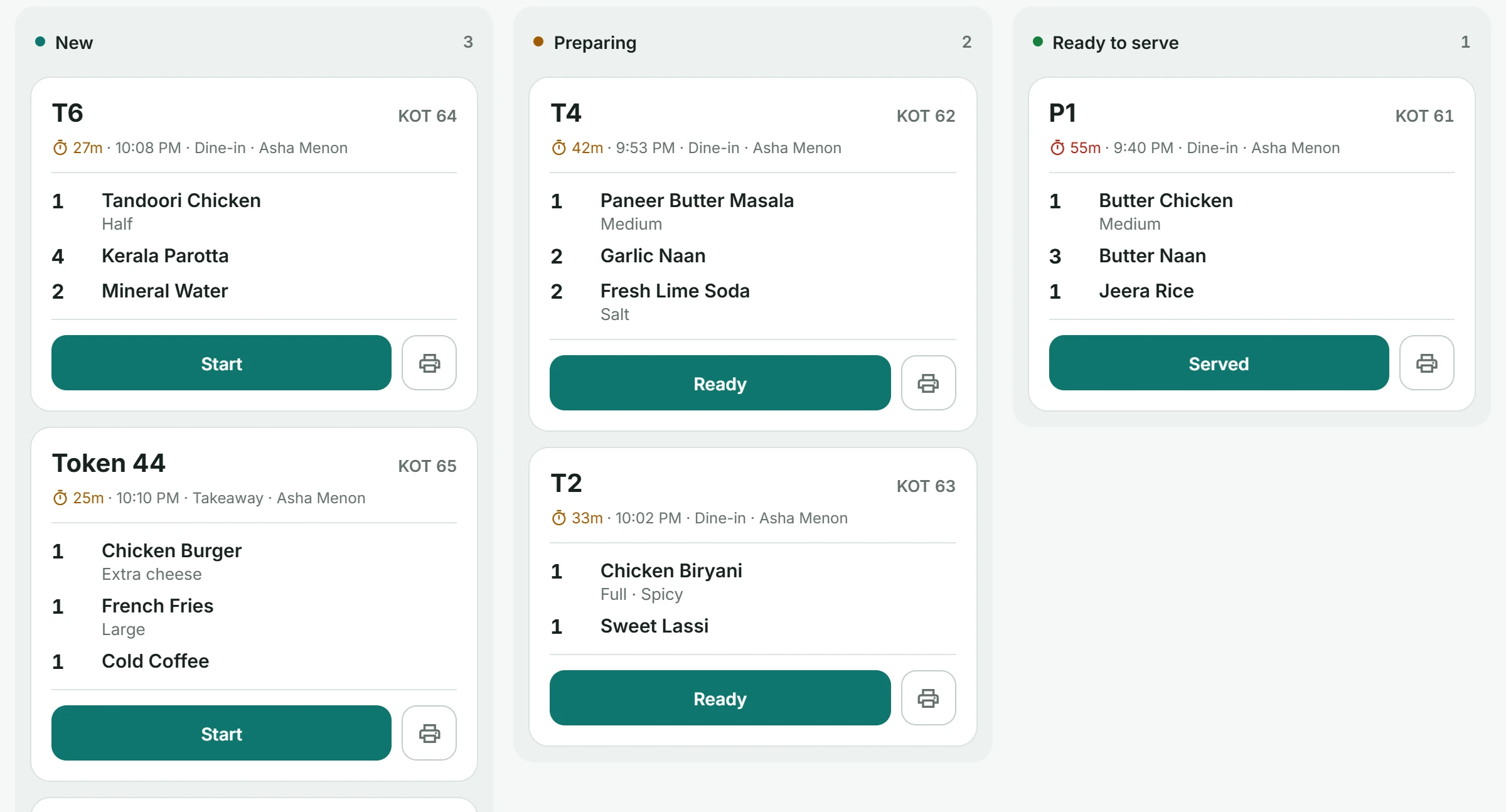
Your kitchen screen shows new, preparing and ready tickets. Print a ticket whenever the kitchen needs paper.
- Tickets when an order is sent
- New, preparing, ready to serve
- Cancellations marked in red
Tables
Run the floor from the counter.
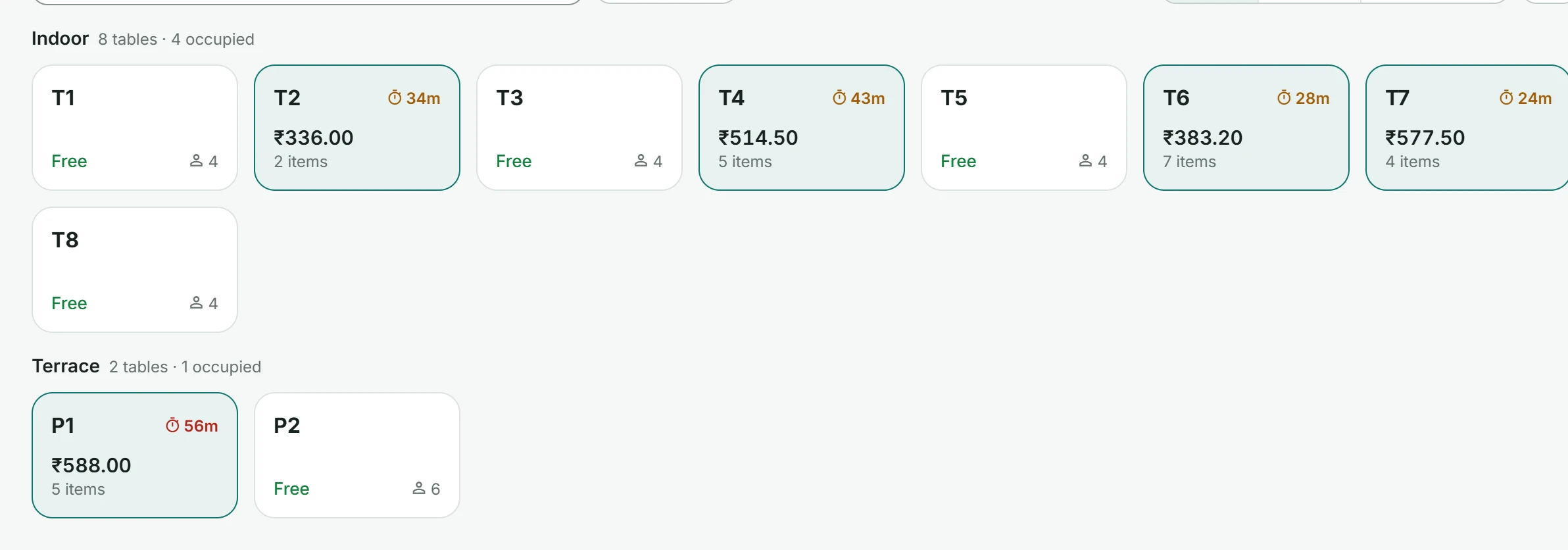
Group tables by area, see who is seated and for how long, and open the bill for any table.
- Indoor and outdoor areas
- Free and occupied at a glance
- Bill so far on each table
Payments & receipts
Keep the details within reach.
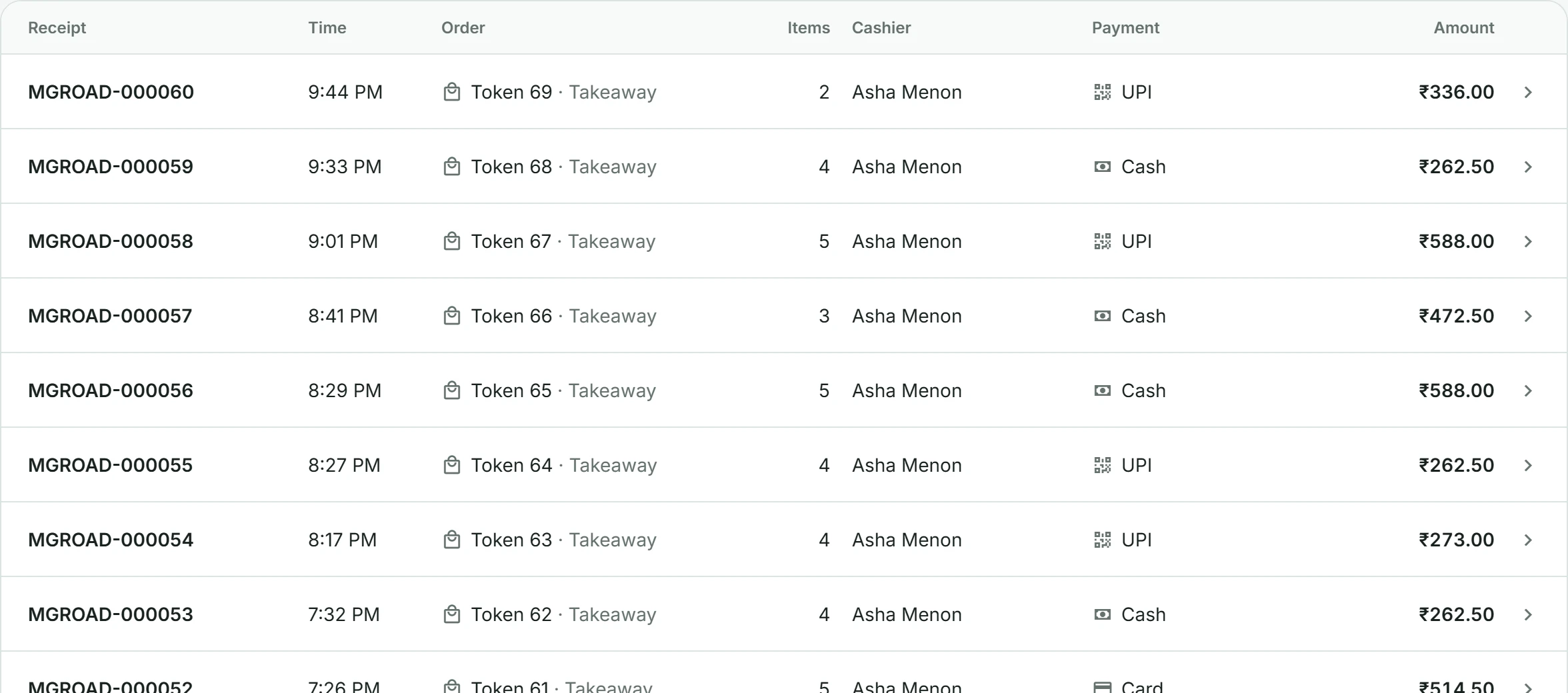
Record payments taken through your existing card machine or UPI. Aestrox is not a payment gateway; your team confirms each payment before recording it.
- Cash, card and UPI
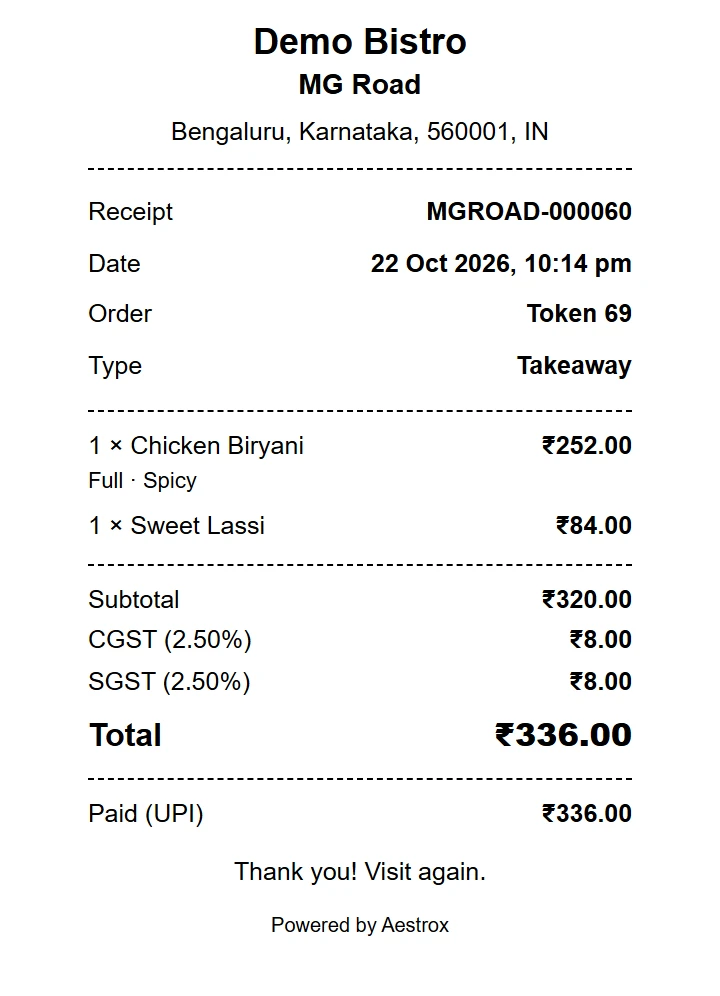
- Numbered receipts with CGST and SGST
- Find, reprint or reverse a sale
- 58 mm, 80 mm and A4 layouts
Reports
Keep an eye on the day.
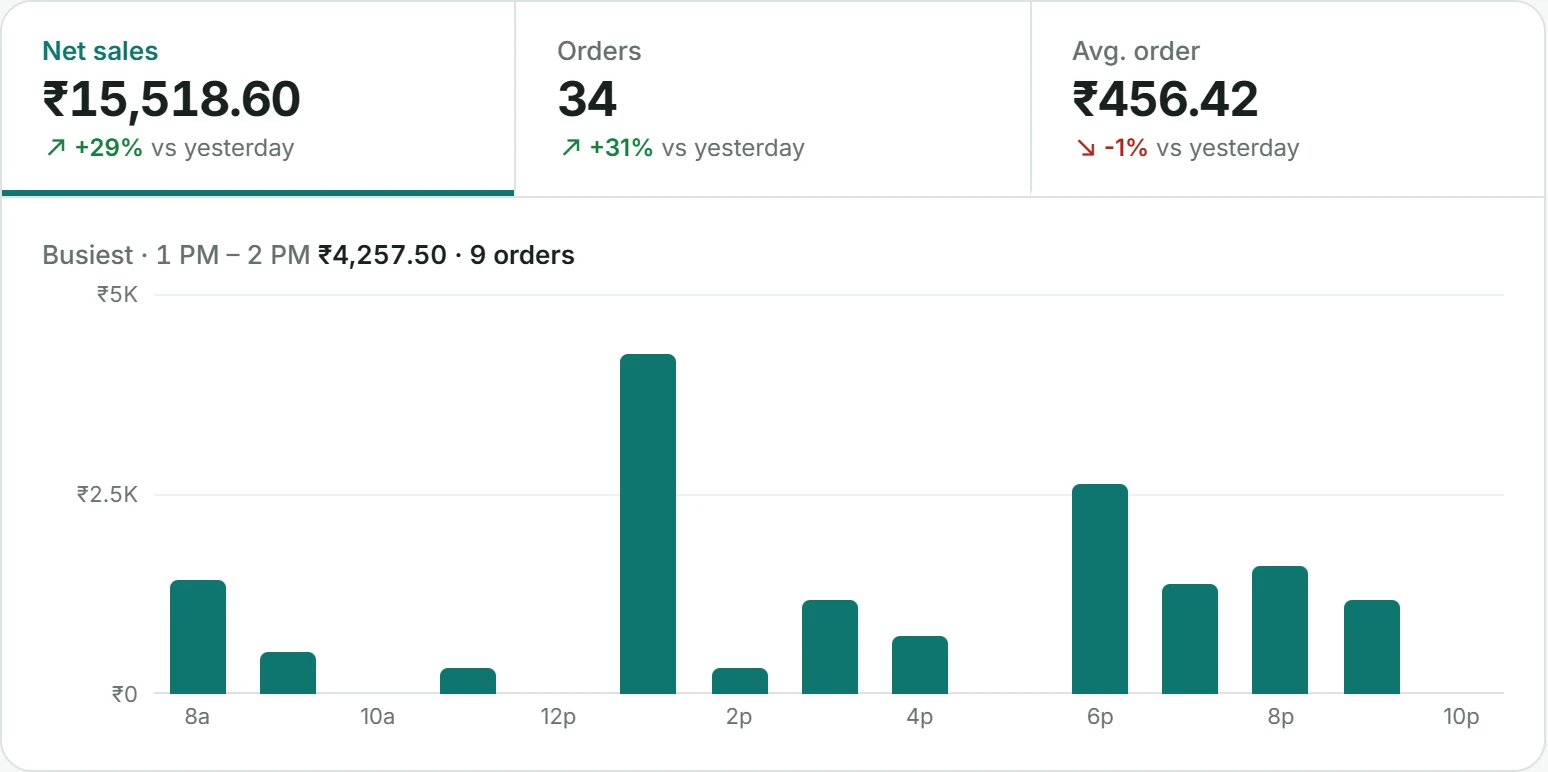
Your dashboard brings together sales, orders and your average bill, compared with yesterday.
- Sales by hour
- Busiest hour of the day
- Payment and order type mix
Menu
Keep what you serve up to date.
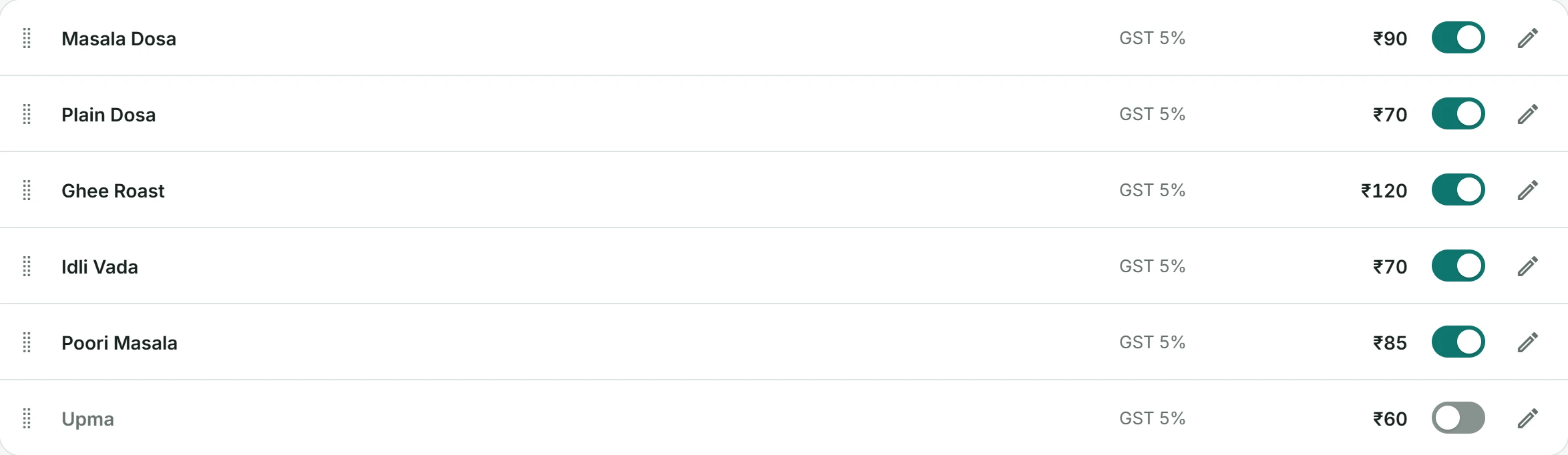
Manage categories, prices and GST rates. Switch an item off when it runs out and back on when it returns.
- Categories, sizes and add-ons
- GST rate per item
- Drag to reorder
- Photos or icons
Team
The right access for the right people.
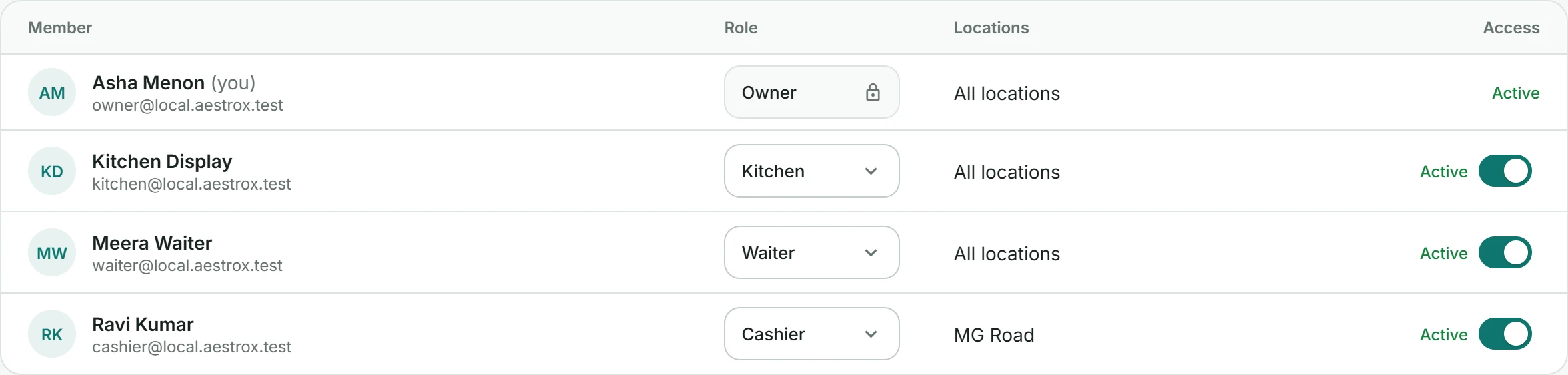
Invite your team, choose their role and connect them to the locations they work in.
- Owner, cashier, waiter and kitchen roles
- Access by location
- Pause access without losing history
Try Aestrox POS free for 14 days.
Get set up with help from our team.